

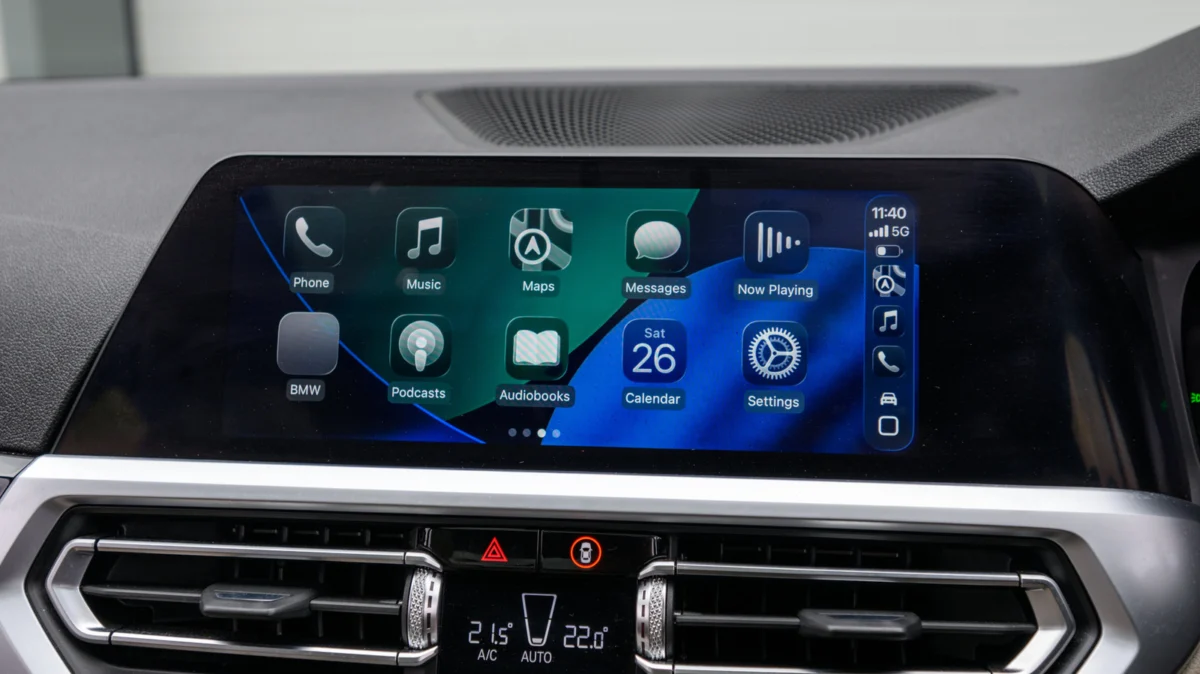
For millions of drivers, Apple CarPlay has become an indispensable companion on the road. It seamlessly mirrors the iPhone interface onto the vehicle’s dashboard, providing easy access to navigation, music, and communication. However, a persistent frustration remains: the "tether." While wired CarPlay offers a rock-solid, high-fidelity connection, it forces the user to physically plug in their device every time they step into the vehicle, limiting phone placement and creating cable clutter.
The rise of aftermarket wireless CarPlay adapters has promised to solve this inconvenience, allowing users to cut the cord without purchasing a new vehicle. Yet, the market is saturated with options ranging from bargain-bin imports to premium, feature-rich devices. Navigating this landscape requires more than just a quick purchase; it demands an understanding of hardware compatibility, wireless protocols, and the potential pitfalls that can turn a seamless upgrade into a frustrating tech headache.
Main Facts: How Wireless Adapters Bridge the Gap
At its core, a wireless CarPlay adapter acts as a sophisticated digital bridge. It plugs into the existing USB port intended for wired CarPlay and tricks the vehicle’s infotainment system into thinking an iPhone is physically connected. Internally, the adapter handles the complex handshake between the car’s head unit and the user’s iPhone using a combination of Bluetooth and Wi-Fi.
The primary fact for potential buyers to grasp is this: An adapter is not a magic wand. If your car does not currently support wired CarPlay, an adapter will not bestow that capability upon your dashboard. These devices are strictly "translators" that convert an existing wired signal into a wireless transmission. If your vehicle lacks native CarPlay support, you are better off looking into a standalone portable CarPlay display that mounts to your dashboard or windshield.
Furthermore, the "plug-and-play" nature of these devices is largely true, but performance can vary significantly. A high-quality adapter will initiate a connection within seconds of the car starting, while inferior models may require several manual re-connections or frequent reboots.
Chronology: The Evolution of In-Car Connectivity
To understand why these adapters exist, one must look at the timeline of automotive infotainment:
- 2014: Apple introduces CarPlay, initially exclusively as a wired system. It relies on the Lightning cable to ensure data stability and power delivery.
- 2015–2018: As smartphones become more powerful, manufacturers begin to demand a wireless option to reduce cabin clutter.
- 2016: Apple adds support for wireless CarPlay in iOS, but hardware manufacturers are slow to implement the necessary 5GHz Wi-Fi modules in their head units.
- 2019–2021: Wireless CarPlay becomes a standard feature in high-end luxury vehicles, leaving owners of older or budget-conscious models behind.
- 2022–Present: A cottage industry of third-party electronics manufacturers begins producing USB dongles that emulate the native wireless CarPlay handshake. This creates a "democratization" of the technology, allowing users to bring wireless capabilities to almost any car manufactured in the last decade.
Supporting Data: Why Hardware Specs Matter
Not all wireless adapters are created equal. When analyzing which unit to purchase, consumers should focus on three critical technical pillars:

1. Wi-Fi Frequency Bands
The most common point of failure for cheap adapters is the reliance on the 2.4GHz Wi-Fi band. In a modern urban environment, the 2.4GHz spectrum is heavily congested by home routers, other vehicles, and Bluetooth devices. This leads to latency, dropped audio, and stuttering map navigation. Premium adapters utilize 5GHz (or even dual-band) Wi-Fi, which provides a cleaner, faster lane for data transmission, ensuring that your turn-by-turn directions appear on the screen the moment you make a move.
2. Bluetooth 5.0 and Beyond
Bluetooth is used for the initial "handshake" to identify your device and instruct it to start the Wi-Fi connection. Older Bluetooth 4.0 or 4.2 standards are slower to initialize. Bluetooth 5.0 and newer versions significantly reduce this connection time, meaning you spend less time waiting for your music to start playing and more time on the road.
3. Firmware and iOS Compatibility
Apple updates its iOS software annually, and these updates often include under-the-hood changes to how CarPlay manages data packets. A "dumb" adapter without an update mechanism will eventually become a paperweight. When shopping, always prioritize units that support over-the-air (OTA) firmware updates via a browser interface or a dedicated smartphone app.
Critical Considerations Before You Buy
Beyond the raw specs, there are several "real-world" factors that determine the long-term success of an adapter purchase.
The Port Dilemma
The transition from USB-A to USB-C has caused significant confusion. Many users purchase an adapter only to realize they have the wrong connector, forcing them to buy a secondary, potentially unreliable "dongle-on-a-dongle" adapter. Before purchasing, verify whether your infotainment USB port is USB-A (the traditional rectangular port) or USB-C (the smaller, reversible port) and buy an adapter that matches directly.
Steering Wheel and Voice Control
A major concern for safety-conscious drivers is the loss of functionality. High-quality adapters are designed to pass through the vehicle’s "CAN bus" signals—the data stream that tells the car’s computer that you’ve pressed the "Volume Up" button on your steering wheel or triggered the Siri voice command. Cheap, poorly engineered units often fail to pass these signals back to the iPhone, effectively breaking your car’s physical control buttons.
Multi-User Support
If you share your vehicle with a partner or family member, look for units that support "multi-phone pairing." Some basic adapters are locked to the first phone that connects, requiring a manual factory reset to switch to a different device. Advanced units maintain a list of paired devices and will automatically connect to whichever phone is currently present and active in the vehicle.
Implications: The Future of the Dashboard
The rise of these adapters has broader implications for the automotive industry. For years, the auto industry operated on a cycle where a car’s technology was obsolete within three years of purchase. By decoupling the phone’s software from the car’s hardware, these adapters prove that the "smart" part of the car is actually the device in the user’s pocket.
However, there is a cautionary note. By introducing a third-party piece of hardware into your vehicle’s electronic system, you are introducing a potential variable for interference. While most adapters are benign, they draw power from the USB port and communicate with the car’s main computer. In rare instances, faulty or low-quality adapters have been known to cause infotainment systems to crash or reboot.
Furthermore, some manufacturers have begun to push back against the integration of CarPlay entirely—most notably GM, which has announced plans to move toward its own proprietary, subscription-based infotainment systems. This move makes the longevity of existing CarPlay systems—and the adapters that extend their life—even more valuable to consumers who prefer the Apple ecosystem over manufacturer-imposed software.
Conclusion: Final Recommendations
If you are tired of the cable, a wireless adapter is a highly effective, low-cost solution. However, you must prioritize quality over the lowest price point.
- Check compatibility forums: Before clicking "buy," search for your specific vehicle make and model on forums like Reddit or dedicated car enthusiast boards to see if others have successfully used a specific brand of adapter.
- Look for updateability: If the product description doesn’t mention firmware updates, skip it. The next iOS update could render it useless.
- Manage expectations: Even the best wireless adapters can experience occasional lag compared to a wired connection. If you are an audiophile who demands the highest possible bit-rate for your music, or if you frequently drive in areas with extreme signal interference, wired remains the gold standard.
For the average commuter, the freedom of wireless CarPlay is well worth the investment. By choosing a reputable, updated device with 5GHz support, you can bring your car into the modern era and enjoy a clutter-free, seamless driving experience.
