

In an era of hyper-productivity, the multi-device workstation has become the gold standard for power users, developers, and creative professionals. Whether you are managing a dedicated gaming rig alongside a workstation, or balancing a personal laptop with a corporate-issued machine, the challenge remains the same: how to navigate multiple operating systems without creating a cluttered desk filled with redundant peripherals.
In my previous column, I explored the world of software-based KVM (Keyboard, Video, Mouse) solutions. While these applications—which leverage your existing local area network (LAN) to facilitate cursor movement across screens—are incredibly convenient, they are not without their flaws. In environments with restricted Wi-Fi, complex firewall configurations, or high-latency public networks, these software solutions often buckle.
When your productivity relies on a stable connection, hardware-based alternatives provide the reliability that wireless software solutions simply cannot match. From traditional mechanical switches to cutting-edge "intelligent" hardware, this guide navigates the best ways to reclaim your desk space and streamline your multi-PC workflow.
The Hardware Advantage: Why Physical Control Matters
The primary limitation of software-defined input sharing is the reliance on the underlying OS and network stack. If you are working on a machine that has yet to reach the login screen, or if you are using a locked-down device like a Chromebook that prohibits the installation of third-party background services, software solutions are non-starters.
Hardware-based switches, by contrast, function at the USB controller level. They intercept input signals before they are interpreted by the operating system, allowing you to interact with BIOS menus, encryption prompts, and login screens with equal ease.
Traditional KVM vs. Modern USB Switches
For years, the KVM switch was the only way to manage multiple PCs. These devices physically route video signals and USB data between computers. However, for those who already have a multi-monitor setup and simply want to share a mouse and keyboard, traditional KVMs are often overkill—and potentially detrimental.
If you attempt to route multiple monitors through a basic KVM switch that isn’t designed for high-refresh-rate or high-resolution display handling, you risk significant input lag and visual tearing. Instead, many power users are turning to dedicated USB-based KM (Keyboard/Mouse) switches. These focus solely on peripheral data, leaving your display connections untouched and ensuring your monitor’s native performance remains uncompromised.
Navigating the "Wormhole": Specialized Hardware Solutions
When it comes to dedicated hardware for multi-device navigation, few companies have leaned into the category as heavily as J5Create. Their "Wormhole" branding—a series of products specifically designed to traverse multiple PCs—encompasses everything from high-end docking stations to minimalist USB cables.
The J5Create Ecosystem
The core of the J5Create lineup is a series of USB-A to USB-A cables. These are not standard data cables; they feature embedded controllers that allow for seamless interaction between connected machines. The entry-level JUC100 provides a reliable, plug-and-play experience for Windows users, while the higher-end JUC700 offers advanced features that mirror the capabilities of premium software suites, including the ability to turn a secondary PC into a functional extended display.
The most intriguing aspect of these products is the "software-in-a-cable" approach. When you plug the cable into a new machine, it mounts a virtual volume containing the necessary drivers. Once installed, the systems can share not only mouse and keyboard inputs but also clipboard data—a feature that is invaluable for those who frequently move text and images between workstations.
The Evolution of Wireless Control
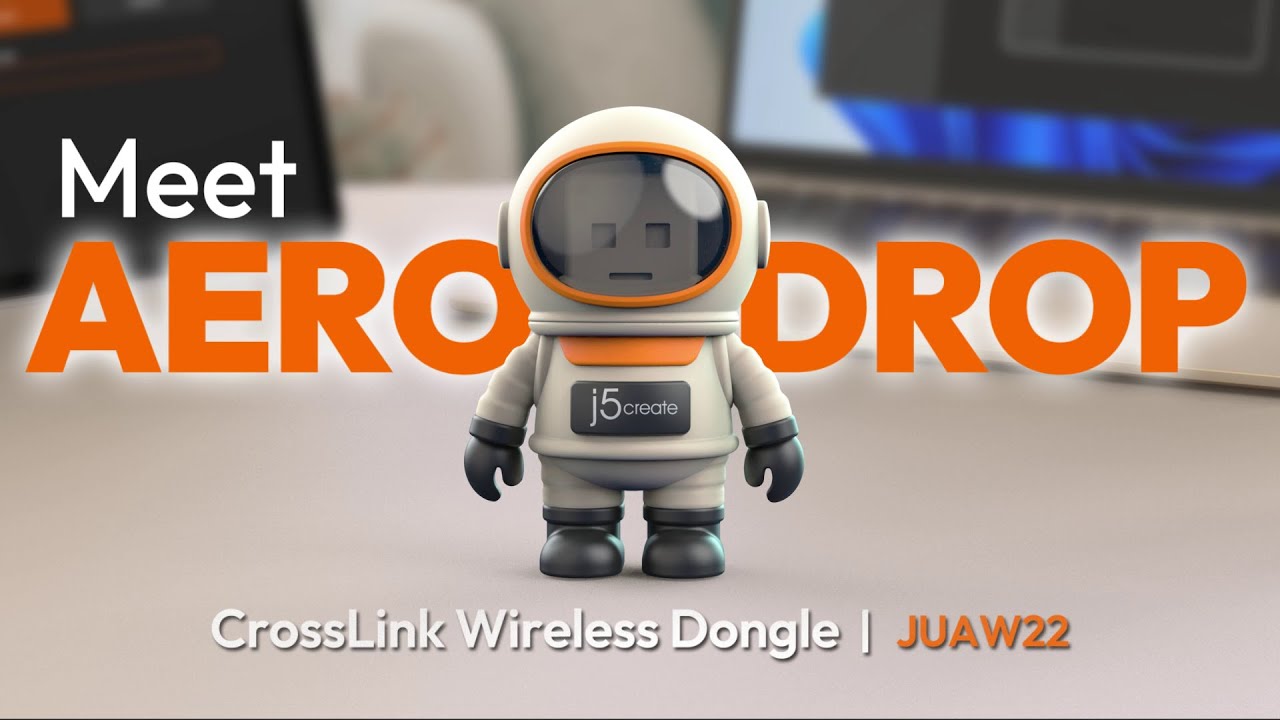
Innovation has not been limited to wired solutions. J5Create’s newest entry, the Aero Drop CrossLink, represents a novel departure from the traditional cable-based paradigm. Packaged in a whimsical astronaut-shaped housing, this small USB-A dongle uses Bluetooth to bridge the gap between a PC-connected keyboard/mouse and mobile devices such as iPhones, iPads, or Android smartphones. While it lacks the cross-PC support of its wired siblings, it highlights a growing trend: the hardware-enabled unification of mobile and desktop computing environments.
Perfect Pairings: Emerging Intelligent Switches
The hardware market for KM switching is currently undergoing a renaissance, largely fueled by crowdfunding platforms that allow niche manufacturers to bring "intelligent" solutions to market.
Asuizo Crossys: A Software-Hardware Hybrid
The Asuizo Crossys is a prime example of this new wave. It combines the convenience of a physical switch with the versatility of software. Unlike basic hardware switches that require a button press, the Crossys utilizes a persistent background application to allow for mouse-handoffs across screens.
The requirement for a "faceless" app on macOS—one that requests accessibility permissions—is a necessary trade-off for the fluid, seamless cursor movement that users expect in modern workflows. It effectively bridges the gap between hardware reliability and software ease-of-use.
The LoopMotion Advantage: Zero-Software Intelligence
Perhaps the most impressive device in the current landscape is the LoopMotion. It distinguishes itself by being the only truly "location-aware" KM switch that operates without the need for any installed software.
By connecting a cable to the ‘L’ (Left) and ‘R’ (Right) ports, the device automatically senses the orientation of your monitors and allows for instant, lag-free cursor traversal. For users in highly secure environments where IT policies prevent the installation of unauthorized software, LoopMotion is essentially the "holy grail" of peripheral management.
While it lacks some of the advanced features of software suites—such as the ability to bridge integrated laptop touchpads—it provides a rock-solid, OS-agnostic experience that is compatible with Linux, Windows, and macOS out of the box. Its ability to trigger key combinations that keep machines awake or optimize inputs for gaming makes it a versatile tool for both professionals and enthusiasts.
Chronology of Peripheral Control
- The KVM Era (1990s–2000s): Large, bulky hardware switches dominated the market, primarily focused on server racks and IT closets. These devices were expensive and often degraded video quality.
- The Software Revolution (2010s): The emergence of software like Synergy and Microsoft’s "Mouse without Borders" shifted the paradigm. By leveraging local networks, users could achieve seamless cursor movement for free, provided their network configuration was stable.
- The Intelligent Hardware Renaissance (2020s–Present): A new focus on "bridging" hardware has emerged. Products like the LoopMotion and J5Create’s Wormhole series address the limitations of network-based solutions by offering physical reliability combined with intelligent, cross-platform protocols.
Supporting Data and Technical Considerations
When selecting your hardware, it is essential to consider the "bottleneck" potential of each device:
- Clipboard Sharing: If your workflow requires frequent copy-pasting of large files or complex text, prioritize solutions like the J5Create JUC700 or software-based solutions like Multiplicity.
- OS Compatibility: Always check for specific driver requirements. While LoopMotion offers a "zero-install" experience, many other devices require Windows or macOS drivers to enable advanced features like clipboard synchronization.
- Latency: Hardware switches (KM switches) typically offer sub-millisecond latency, making them superior to software-based solutions for competitive gaming or precision design work.
Implications for Modern Workflows
The implications of these hardware solutions extend beyond mere desk tidiness. For the modern enterprise, the ability to maintain secure, isolated workflows while using a single set of peripherals allows employees to move between a secure "offline" machine and a standard "online" machine without compromising security protocols.
Furthermore, as the lines between mobile and desktop continue to blur, the integration of tablets and smartphones into our primary workstation setups—facilitated by devices like the CrossLink—is becoming a necessity rather than a luxury.
Choosing the Right Path
If you are currently struggling with desk clutter and input device fatigue, the choice comes down to your environment:
- For the Power User: If you work in an environment where software installation is permitted and you need advanced features like file transfer and audio sharing, Multiplicity or Synergy remains the gold standard.
- For the Security-Conscious Professional: If you are operating in a locked-down, high-security environment, or if you simply despise the overhead of background software, LoopMotion is the clear winner.
- For the Cross-Platform Creative: If you are frequently moving assets between a Windows workstation and a Mac, the J5Create Wormhole cables provide the best balance of price, performance, and clipboard integration.
As we look toward the future, the integration of peripheral control will likely move further into the firmware level, eventually rendering the "switch" itself invisible. Until then, these hardware solutions provide the most robust path to a unified, efficient, and clutter-free digital workspace.
