

In an era defined by the "everything-as-a-service" model, consumers are increasingly feeling the fatigue of recurring monthly and annual subscription fees. From streaming platforms to cloud storage, the modern digital life is a constant cycle of incremental payments. Perhaps nowhere is this more apparent—and more frustrating—than in the realm of office productivity software. However, for those who value ownership over temporary access, a significant opportunity has arrived.
Through October 25, users can secure Microsoft Office 2024 Home for Mac or PC for a one-time purchase price of $114.97, down from its standard retail price of $149.99. This move represents a strategic pivot for those looking to decouple their essential professional tools from the relentless cycle of Microsoft 365 subscriptions.
The Core Offering: What’s Inside the 2024 Suite?
The Microsoft Office 2024 Home edition is designed as a foundational toolkit for students, families, and independent professionals who require industry-standard software without the overhead of cloud-based subscription management. Unlike cloud-first alternatives, this version provides robust, local-first performance.
The suite includes the latest 2024 desktop iterations of four critical applications:
- Microsoft Word: The gold standard for document creation, from academic theses to professional correspondence. The 2024 version features advanced formatting controls and streamlined collaboration tools.
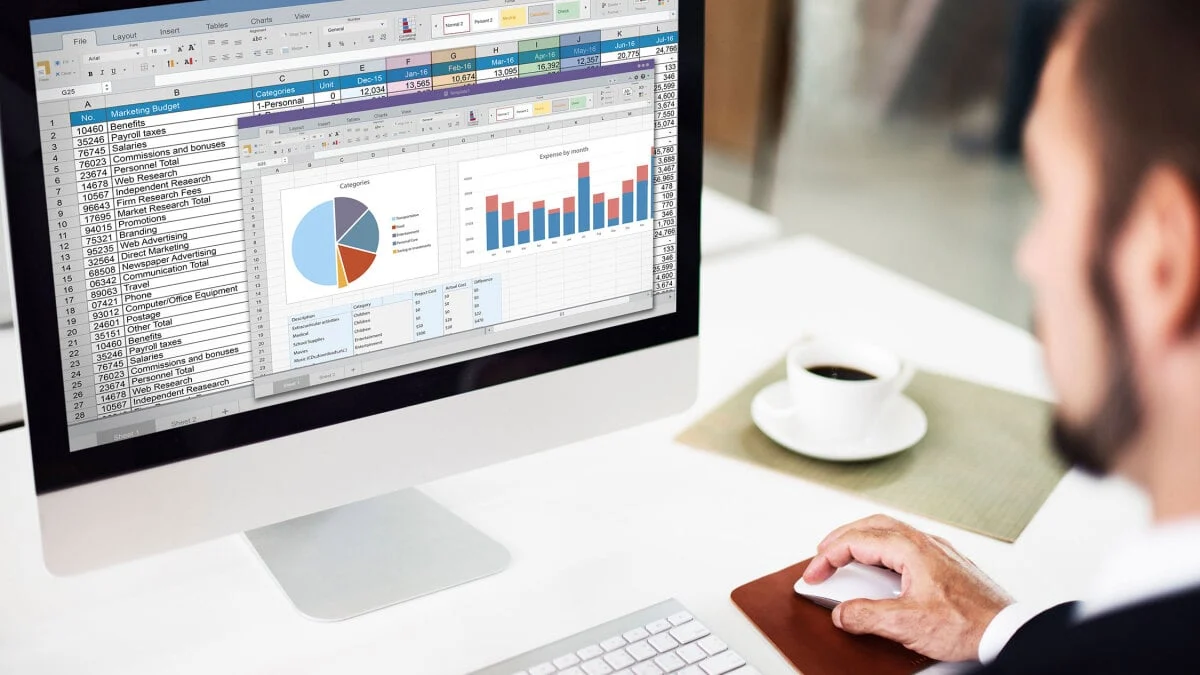
- Microsoft Excel: The powerhouse of data management. This version introduces advanced capabilities like Dynamic Arrays and functions such as FILTER, SORT, and UNIQUE, allowing for more responsive and intelligent data analysis.
- Microsoft PowerPoint: A revamped presentation engine that now includes sophisticated presentation recording features, supporting voice, video, and integrated closed captioning for more accessible and dynamic storytelling.
- Microsoft OneNote: A digital notebook designed to centralize ideas, research, and project planning in a highly customizable interface.
Chronology: The Shift from Perpetual Licenses to Subscriptions and Back
To understand why the release of Office 2024 is such a significant event, one must look at the historical trajectory of Microsoft’s business model.
The Era of Perpetual Licenses (1990–2010)
For decades, Microsoft Office was sold as a "perpetual license." A user paid a flat fee, received a physical disc (or later, a digital download), and owned that specific version of the software indefinitely. While this was expensive upfront, it provided long-term budget predictability.
The Subscription Pivot (2011–2023)
With the launch of Office 365 (now Microsoft 365), Microsoft aggressively shifted its strategy toward recurring revenue. By promising constant feature updates, 1TB of OneDrive cloud storage, and cross-platform syncing, Microsoft successfully migrated the majority of its enterprise and consumer base to a subscription model. While convenient, this left a vocal minority of users feeling alienated—those who work primarily offline or who simply prefer not to have an indefinite line item in their monthly budget.
The Return of Choice (2024–Present)
The release of Office 2024 marks a realization that the market still demands a non-subscription path. By offering a "Home" edition that exists outside of the 365 ecosystem, Microsoft is acknowledging the longevity of the desktop-centric workflow. This is not a replacement for the cloud-heavy 365 suite, but rather a parallel track for users who prioritize privacy, local storage, and cost control.
Supporting Data: Why "Local-First" Matters
The technical advantages of the 2024 standalone version go beyond simple pricing. For many professionals, the shift to cloud-dependent software has introduced latency and privacy concerns.
Offline Reliability
One of the most significant pain points of subscription-based software is the "phone home" requirement—the need for a constant internet connection to verify subscription status or save files to the cloud. Office 2024 functions as a true desktop application. Users can edit complex Excel spreadsheets or write long-form Word documents entirely offline. This is invaluable for travelers, students in low-connectivity areas, and professionals working in secure environments.
Data Sovereignty and Performance
By keeping files locally, users maintain complete control over their data footprint. Furthermore, modern desktop applications often outperform their browser-based counterparts when handling large datasets or complex media files in PowerPoint. Without the overhead of browser processes, the 2024 suite offers a snappier, more responsive user experience.
Official Stance and Licensing Nuances
Microsoft’s positioning of the 2024 Home edition is clear: it is for the user who knows their workflow and doesn’t require the constant feature-drip or cloud storage associated with a 365 subscription. However, potential buyers should be aware of the specific limitations to ensure it fits their needs.
What is Excluded?
It is important to note that the Home 2024 edition does not include Outlook, the professional email client. This is a deliberate segmentation by Microsoft to differentiate the Home suite from the more expensive Professional versions or the 365 Business tiers.
Activation and Portability
Each license is designed for a single installation—either on a Mac or a Windows PC. The activation process is tied to the user’s Microsoft account rather than the hardware, which allows for easier management if a user upgrades their computer. Because it is a one-time activation, there is no need to worry about recurring credit card charges or expired subscription notices interrupting a workflow during a critical project.
The Economic and Professional Implications
For the average household, the economic implications are profound. Over a five-year period, a Microsoft 365 subscription can cost a user upwards of $350–$500, depending on the plan. By contrast, paying $114.97 once results in immediate savings and a significantly lower total cost of ownership.
Impact on Students and Families
Students often find themselves in a precarious position, relying on school-provided software that disappears the moment they graduate. A standalone version of Office provides a stable foundation for the transition into professional life, ensuring they retain their core tools regardless of their institutional affiliation.
The "Subscription Fatigue" Trend
This product release reflects a broader consumer trend toward "re-owning" digital goods. As users grow weary of the "rental" model of software, they are increasingly seeking out "lifetime" licenses. Microsoft’s decision to offer this version suggests that the company understands that subscription-only models have a ceiling. By offering a choice, they retain customers who might otherwise have migrated to free, open-source alternatives like LibreOffice or Google Workspace.
Conclusion: Is Office 2024 Right for You?
The Microsoft Office 2024 Home edition is a powerful, reliable, and cost-effective solution for anyone who finds the subscription model to be an unnecessary burden. It is particularly well-suited for:
- The Power User: Someone who requires the high-performance capabilities of Excel and Word without internet-dependent features.
- The Budget-Conscious: Families and individuals looking to optimize their software expenses by eliminating monthly fees.
- The Privacy-Focused: Professionals who prefer to keep their documents and project data stored locally on their own machines rather than in a public cloud.
With the current promotional pricing of $114.97 available through October 25, this is a limited window to secure a core set of productivity tools that will remain functional for years to come. In a world where everything is rented, the ability to buy and own your essential tools is a refreshing change of pace—and a smart financial decision for the long term.
Disclaimer: Prices and availability are subject to change. As with all digital software, ensure your system meets the minimum hardware requirements before purchasing.
