

In the rapidly evolving landscape of digital media, the barrier to entry for professional-grade video editing has never been lower. Yet, for many, the leap from amateur home movies to polished, engaging content remains a daunting prospect. Enter Movavi Video Editor 27, the latest iteration of a platform that has long positioned itself as the bridge between simplicity and professional results. With this new release, Movavi aims to streamline the workflow for creators, focusing heavily on a new "Templates" feature that promises to inject cinematic flair into projects with minimal effort.
Main Facts: What is Movavi Video Editor 27?
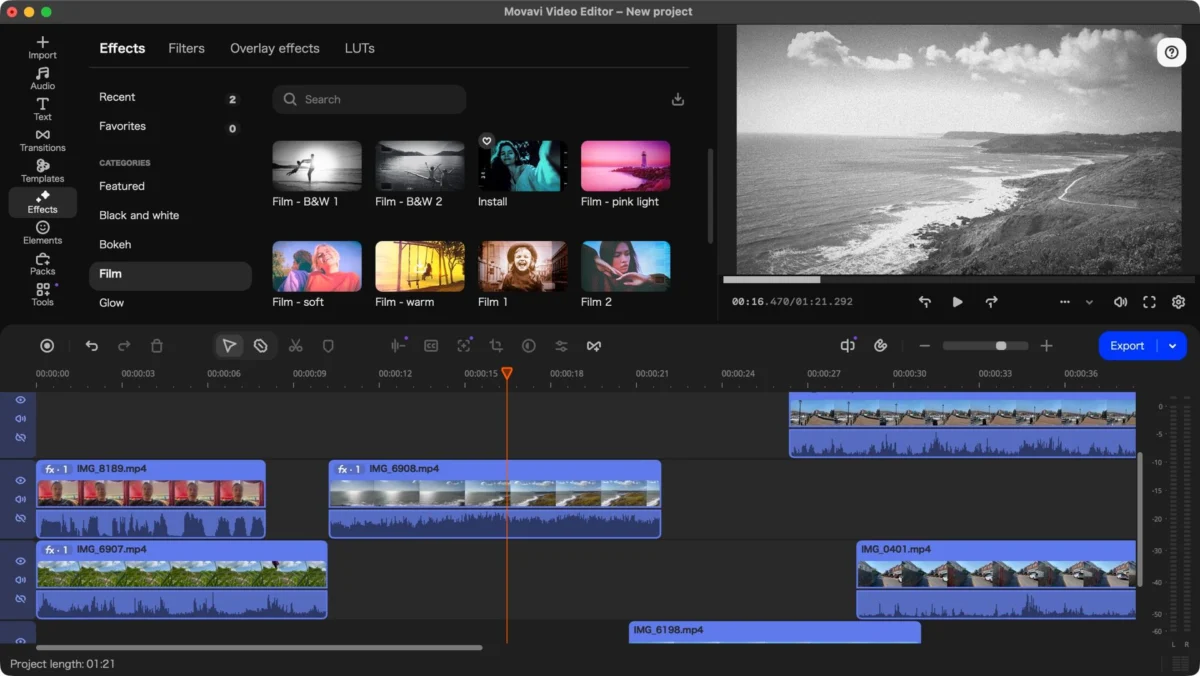
Movavi Video Editor 27 is a comprehensive, cross-platform non-linear video editing suite designed primarily for beginners and intermediate users. Unlike industry giants like Adobe Premiere Pro or DaVinci Resolve, which often present steep learning curves, Movavi emphasizes an intuitive interface that allows users to start cutting, splicing, and layering footage almost immediately upon installation.
The core of the software remains its drag-and-drop timeline, support for multi-track editing, and a robust library of effects, transitions, and titles. With the release of version 27, the developers have pivoted toward "guided creativity." The headline feature—the new Template engine—allows users to drop their raw footage into pre-built sequences, effectively automating the pacing, transitions, and style of the final output.
A Chronology of Improvement: From Version 25 to 27
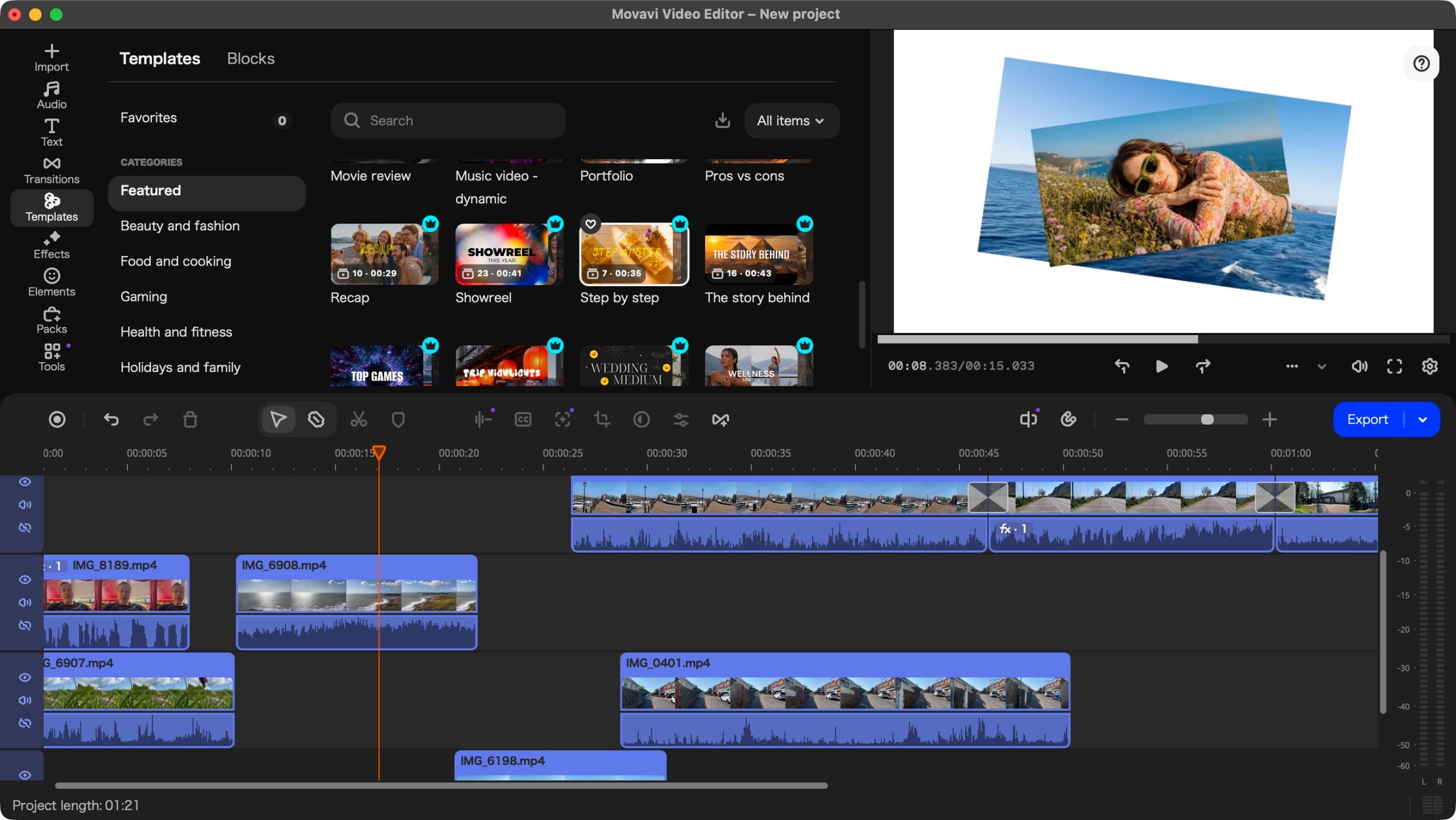
To understand where Movavi stands today, one must look at its recent trajectory. When reviewing version 25, the consensus was clear: the software was a capable, affordable powerhouse, but it suffered from frustrating user-experience quirks—specifically, an installation process that defaulted to Japanese, regardless of the user’s regional settings.
Fast forward to the present day, and while the software remains an exceptionally smooth performer, the "language bug" persists. It is a curious oversight in an otherwise polished product. For users in the West, the first launch requires a quick workaround—often involving a screenshot and a translation app—to navigate the settings menu. While this remains a point of friction, once the language is corrected, the experience shifts from frustrating to seamless.
Version 27 is not a complete overhaul but rather a refinement of the existing engine. The software remains highly optimized for modern hardware, including Apple Silicon (M1, M2, and M3 chips), where it runs with remarkable fluidity.
Supporting Data: Pricing and Accessibility
In an economic climate defined by rising costs, subscription fatigue is real. Movavi has taken a bold, counter-intuitive stance by lowering its prices, making it a compelling alternative to subscription-heavy competitors.
Pricing Structure
- Monthly Subscription: $20 / €19 / £18
- Yearly Subscription: $55 / €44 / £41
- Perpetual License: $150 / €90 / £90 (One-time purchase)
The value proposition is stark when compared to Adobe Premiere Pro, which requires a recurring annual commitment often exceeding $270. While free alternatives like DaVinci Resolve exist, they cater to a different user base—one willing to dedicate weeks to mastering complex nodes and color grading. Movavi is designed for those who want to produce a high-quality video for a client, a social media channel, or a family event in a single afternoon.
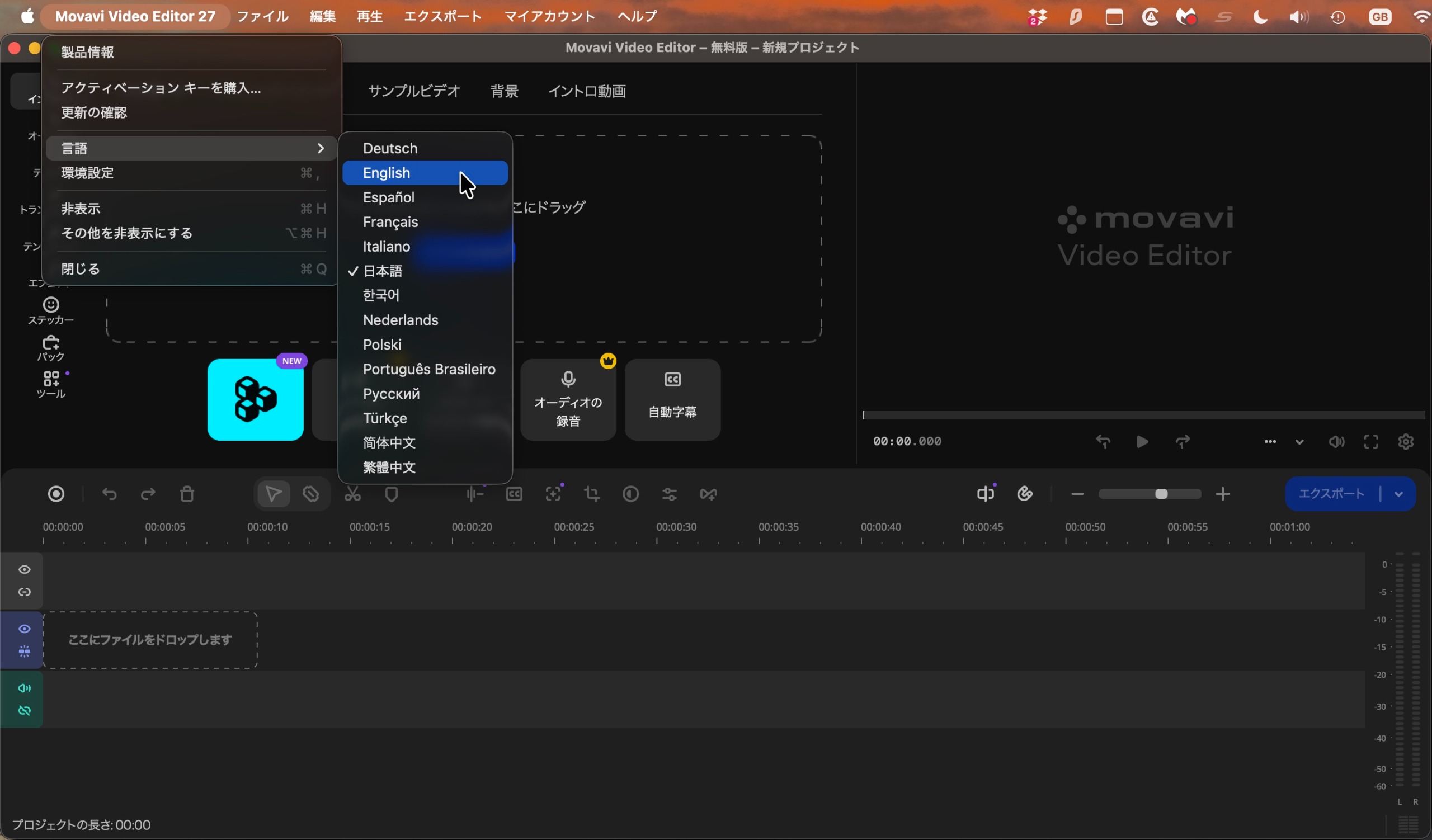
The inclusion of a free trial remains a staple of their business model. Although it limits project length to 60 seconds and applies a watermark, it provides a sufficient playground to test the software’s performance on your specific hardware configuration.
Deep Dive: The New Template Ecosystem
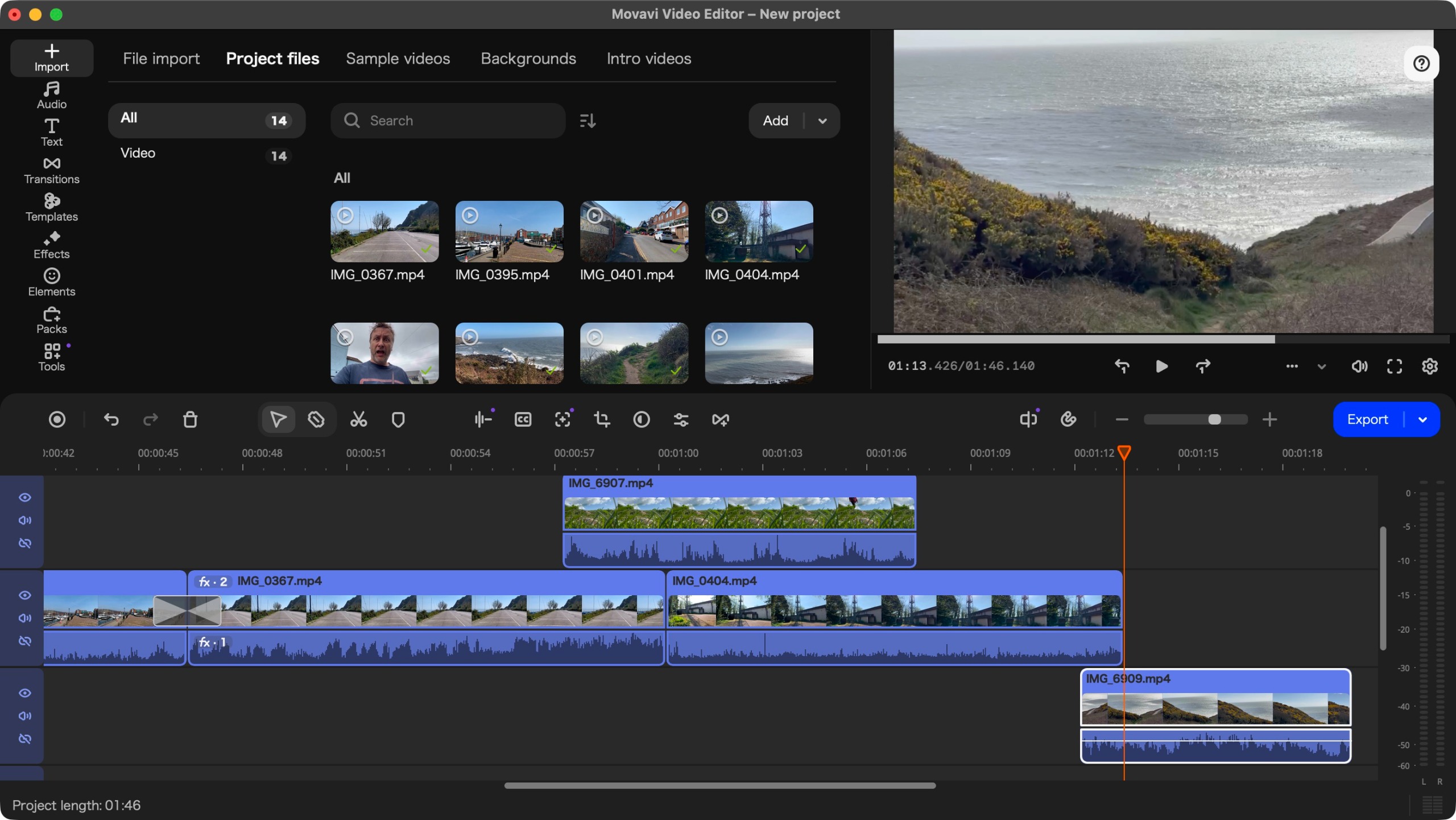
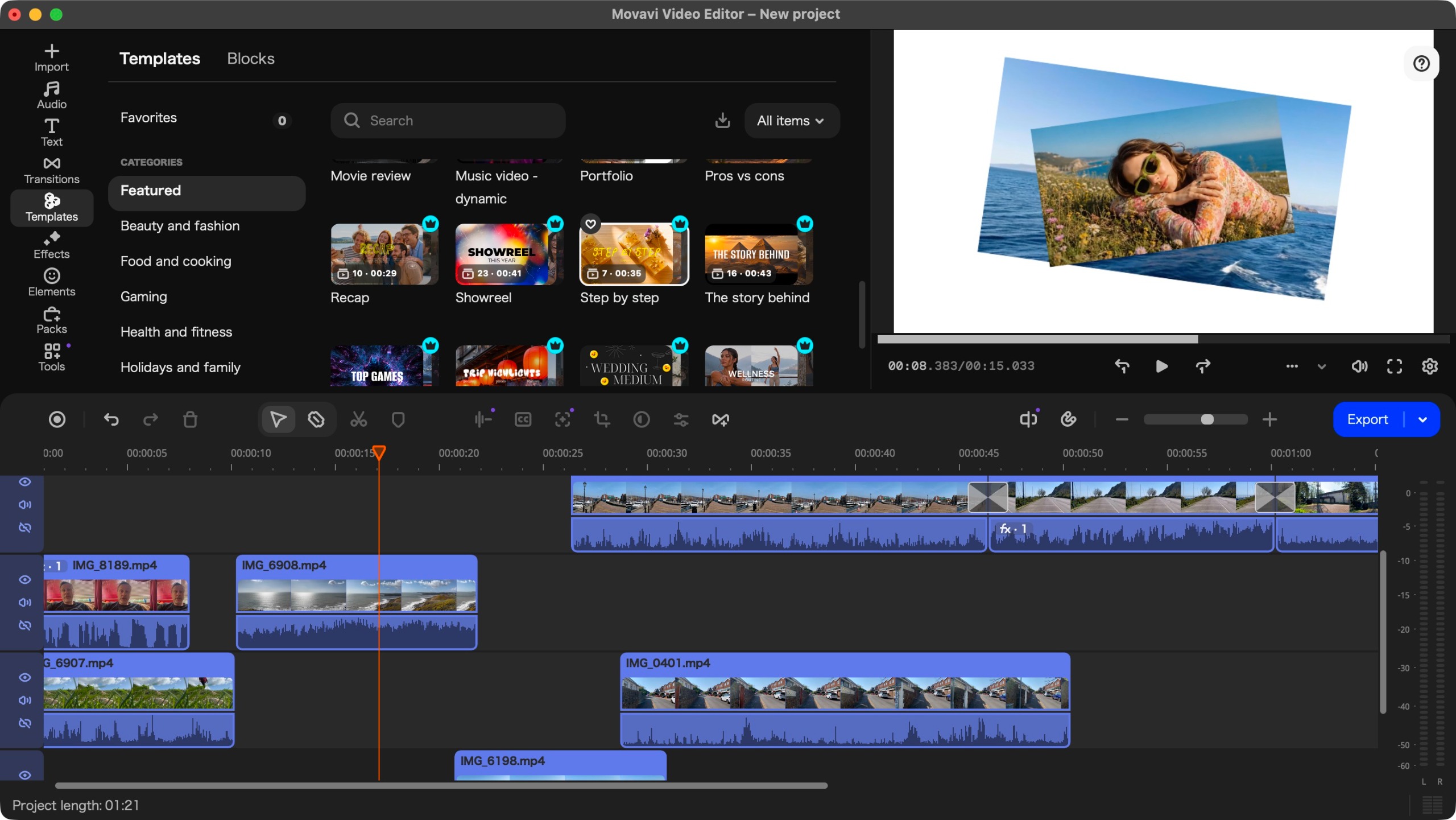
The standout feature of version 27 is undoubtedly the Template library. For many, the "blank canvas" is the most intimidating part of video editing. Movavi’s new approach eliminates this by offering 12 distinct categories of templates, ranging from "Beauty and Fashion" to "Gaming" and "Marketing and Promo."
How the Templates Work
The brilliance of this system lies in its flexibility. A template can be used as a structural backbone for an entire video or as a "plug-in" segment for a longer project. When you drag a template onto the timeline, it expands into a series of clearly marked placeholders.
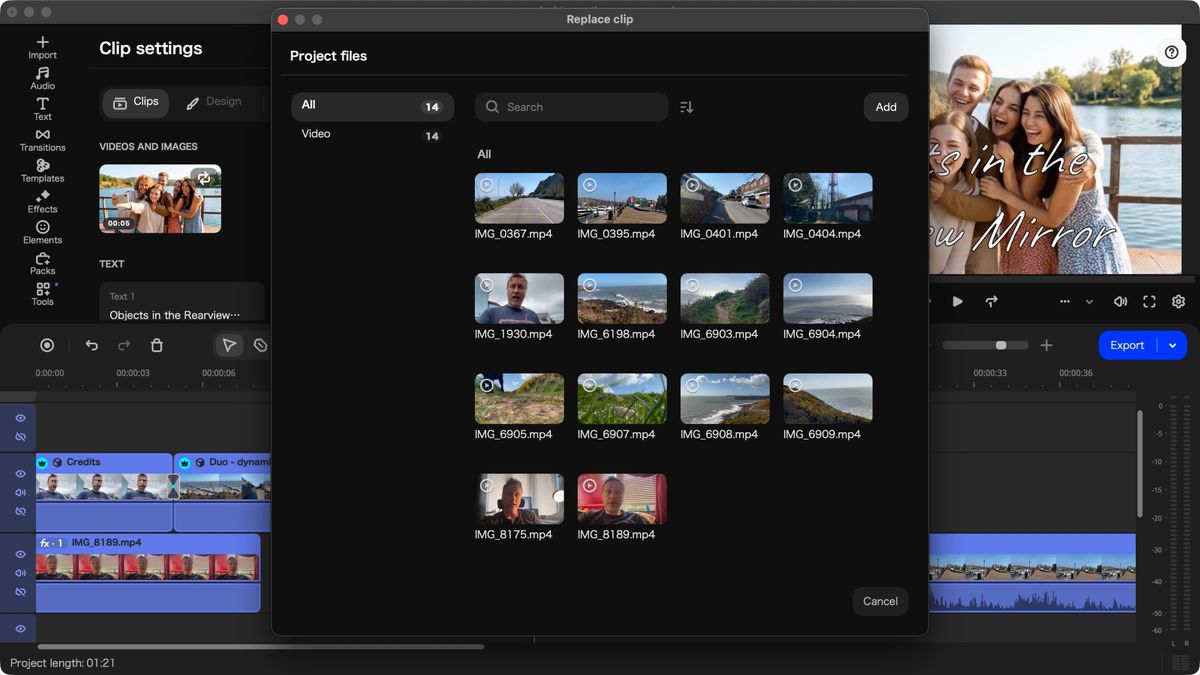
Replacing these placeholders is a straightforward, albeit slightly mechanical, process:
- Select the placeholder: A thumbnail appears, indicating the duration of the clip needed.
- Import and Trim: Select your raw media, choose the specific in/out points, and click "Apply."
- Refine: Double-clicking a section opens "Clip Settings," allowing for granular control over text, effects, and audio levels.
What makes this feature truly versatile is the ability to break the template. Users are not locked into the developer’s vision; you can reorder sections, delete unnecessary elements, or mix and match components from different templates. This allows for a "hybrid" editing style—using templates for high-impact intros and outros while maintaining creative control over the body of the edit.
Official Responses and User Implications
Movavi has consistently marketed itself as the "creator’s choice for speed." By prioritizing the Template feature, the company is responding to the demands of the TikTok and YouTube generation, where the speed of content delivery is often as important as the quality of the edit.
The "Premium" Paywall
It is important to note that the template library is not entirely free. Many high-end assets are gated behind a subscription wall, indicated by a small "crown" icon. While this can feel restrictive, it is a standard industry practice. The software remains fully functional without these assets, and users can filter their search results to "free" to avoid the temptation—and the disappointment—of paywalled content.
Performance on Hardware
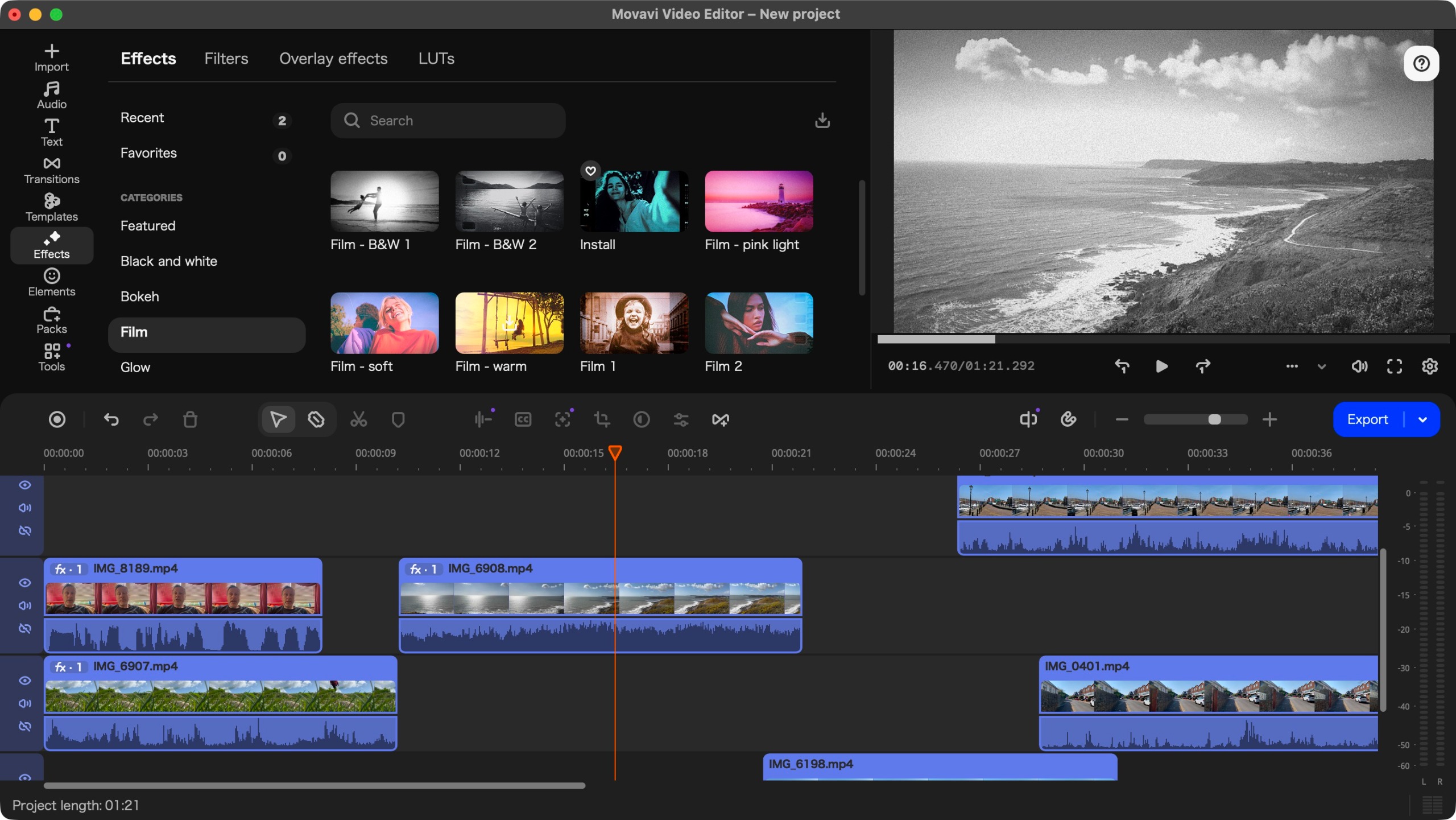
During our testing on an Apple Silicon MacBook Pro, the software felt native and responsive. The interface, which bears a striking and welcome resemblance to Final Cut Pro, allows for intuitive navigation. The AI-based tools—specifically the background removal and subtitle generation—performed admirably, demonstrating that Movavi is keeping pace with the industry-wide move toward AI-assisted editing.
Implications for the Creative Industry
The release of Movavi Video Editor 27 underscores a broader trend: the commoditization of professional-looking video.
- For Small Businesses: The affordability and speed of the new template system make it an ideal tool for small businesses that lack the budget for a dedicated video production team but need high-quality social media content.
- For Beginners: By removing the "fear" of the timeline, Movavi is actively lowering the barrier for entry-level creators.
- For Pros: While seasoned editors may find the lack of deep, frame-by-frame color grading control limiting, they may still appreciate Movavi as a "quick-turnaround" tool for simple projects.
Final Verdict: Should You Buy It?
Movavi Video Editor 27 is an evolutionary step rather than a revolutionary one. Its decision to keep the price point accessible is its greatest strength, particularly in a market where software costs are ballooning.
You should buy Movavi Video Editor 27 if:
- You are a content creator, influencer, or small business owner who needs to output polished videos quickly.
- You value a clean, intuitive interface over complex, professional-grade technical menus.
- You are tired of monthly subscriptions and want the option of a one-time perpetual purchase.
You should skip it if:
- You are looking for a career-level editing suite (in which case, look toward Resolve or Premiere).
- You are a Linux user, as the software is strictly limited to Windows and macOS.
- You have a very limited workflow and find free, open-source editors sufficient for your occasional needs.
In conclusion, Movavi Video Editor 27 succeeds because it knows exactly what it is. It doesn’t pretend to be a Hollywood-grade NLE; it aims to be the most efficient, user-friendly, and cost-effective way to get your story from your camera to your audience. Despite the persistent, minor annoyance of the installation language, the software remains a top-tier contender for anyone looking to step up their video editing game.
